





Connection Center
Welcome to the Connection Center at Apple Chevrolet
Technology changes fast and Chevrolet technology changes right along with it. New tech improves the way we listen to music and podcasts, the way we communicate, navigate, and get comfortable behind the wheel. It greatly improves road safety too. In short, it changes the entire driving experience. That said, it can be hard to keep up. Your Chevy dealer Tinley Park has the solution. Whenever you feel overwhelmed by the great tech features of your Chevy vehicle, visit the Apple Chevrolet Connection Center and get help.
Get Tech Help!
Our Connection staff is ready to answer your questions about features such as a Chevy auto stop technology or to help solve your connectivity issues. Our Connectivity staff, Edgar Luciano, Bryce Johannes, and Johnny Albomonte, can also explain the various tech features of your Chevy so you can make the right decision about which sedan, truck, or SUV, to choose based on what it offers.
Our Connection staff provides hands-on guidance on how to use the great tech features Chevy offers. If you are in our showroom browsing through our inventory of great new and pre-owned Chevy vehicles, stop by the Connection Center. Our staff would be happy to answer your questions about all the great Chevy tech features. Along with the experience of our sales staff, this information helps you make the best buying decision possible.
Helpful How-to Videos
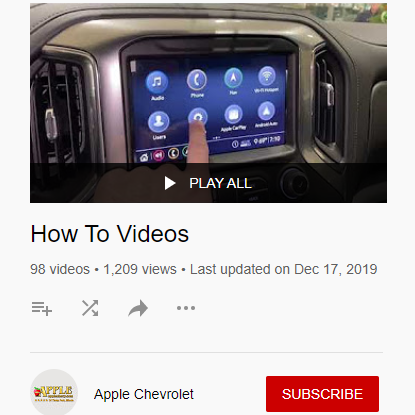
If you can’t make it into the Connection Center, visit us online for helpful how-to videos. Watch videos on how to set up Chevy MyLink. Access this feature through the vehicle’s infotainment center and use it to connect an iPhone or Android. Learn how to use Bluetooth or a USB port to connect your phone to the vehicle. This allows you to use hands-free voice control so you can keep both hands on the wheel while communicating, navigating, and controlling your entertainment options.
While all those features improve the overall driving experience, sometimes you just need help adjusting side mirrors, seats, headlights, and more. Don’t worry, there are videos for those things too.
Here are just a few of the topics we cover on the Connection Center YouTube channel:
- How to turn your Lane Keep Assist on/off
- How to turn your Rear Seat Reminder on/off
- How to turn Apple CarPlay/Android on/off
- How to customize Your Audio Tone Settings on your Chevy MyLine Radio
- How to connect to your wifi network
Stay Connected at Apply Chevy in Tinley Park
If you’re wondering, where is the Chevy dealer near me that offers expert advice on Chevrolet technology, it’s Apply Chevy. Our Connection Center is located right between the showroom and service center at 8585 w 159th in Tinley Park. Or call us at 708-532-5476.
Apple Chevrolet
8585 w 159th, Tinley Park, IL 60487
Contact UsHours
| Monday | 9:00AM - 7:00PM |
| Tuesday | 9:00AM - 7:00PM |
| Wednesday | 9:00AM - 7:00PM |
| Thursday | 9:00AM - 7:00PM |
| Friday | 9:00AM - 7:00PM |
| Saturday | 9:00AM - 6:00PM |
| Sunday | Closed |
| Monday | 7:00AM - 7:00PM |
| Tuesday | 7:00AM - 7:00PM |
| Wednesday | 7:00AM - 7:00PM |
| Thursday | 7:00AM - 7:00PM |
| Friday | 7:00AM - 7:00PM |
| Saturday | 7:00AM - 4:00PM |
| Sunday | Closed |
| Monday | 8:00AM - 7:00PM |
| Tuesday | 8:00AM - 7:00PM |
| Wednesday | 8:00AM - 7:00PM |
| Thursday | 8:00AM - 7:00PM |
| Friday | 8:00AM - 7:00PM |
| Saturday | 7:00AM - 3:00PM |
| Sunday | Closed |